 Carrd
Carrd
All free website builders aim to be simple to use for their clients. However, no matter how simple you may think Wix or Squarespace are to use, Carrd goes to a whole new level. This free website builder lets you create one-page websites and helps you to do that in a matter of hours.
However, while having a simple website builder is always a good option, keep in mind that this can also result in a rather unsatisfactory site creation experience.
Who should use Carrd (best for):
Carrd is best for users who are still learning how websites work and want to start off with a straightforward solution. It is also great for people who just need a simple brochure website where they will present a simple product or showcase a portfolio by adding a few images.
Small business owners might find Carrd interesting as they can use the web pages built with it as online brochures or landing pages.
However, Carrd does not allow you to blog or have online stores, so it won’t be usable by anyone with more serious website needs.
Carrd key features
Build one-pages sites quickly – create free single-page sites by using a straightforward editor.
Responsive – all of the templates are responsive, which means that all sites created with Carrd will look good on all devices even without your extra input.
Free – you can create up to three sites for free, and use them forever.
Review summary
For the purposes of this review, I have created a website with Carrd. This allowed me to see what the free website builder is capable of and how it compares to other popular free website builders.
I have also browsed their documentation pages and contacted their support via email to see how helpful and fast they are.
Detailed Carrd review
- Ease of use
- Templates
- Design flexibility
- Domain options
- Mobile site optimization
- SEO (Search Engine Optimization)
- Blogging functions
- eCommerce integration
Ease of use
Carrd is definitely the simplest free website builder I have ever tried. As soon as you open their homepage, you will see why. There is only the most basic information available on the page, and everything points to the button that lets you begin creating your first page. While other page builders will require you to create your free account before moving forward, Carrd will immediately take you to the process of creating your site. Simple! You will need to create your account only once you decide to save your website, which makes sense.

The entire user interface is designed for beginners and people who do not want to spend a lot of time learning how to use the editor. The main menu is always located on top of the screen, holding only a few icons that will allow you to add new elements, undo, save changes, and so on. The other part of the editor shows up as soon as you click on one of the elements. It holds essential editing options.
Unlike other free website builders, you will learn how Carrd works in probably less than 10 minutes!
Templates
Usually, templates are categorized by their niche. However, while other website builders show you templates dedicated to traveling, business, cuisine, and similar niches, Carrd goes the other way. It lets you choose from only five categories like profile, landing, form, portfolio, and sectioned.
This means you get to choose differently structured templates that you will be able to easily modify afterward.
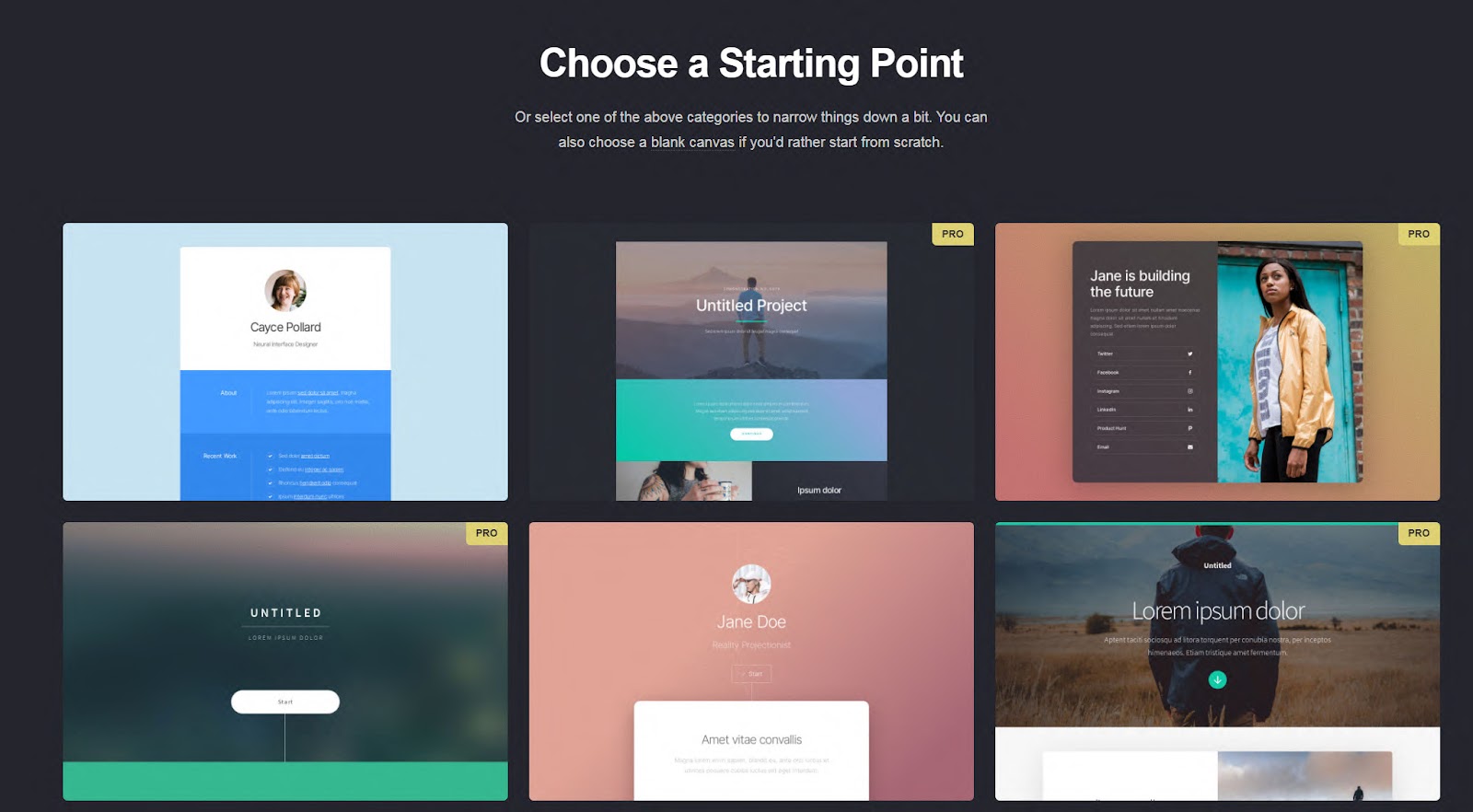
Truth be told, templates are not one of the strongest points of Carrd. There were 80 templates when I reviewed Carrd, and a lot of their themes were available only in the PRO version. All of them looked very simple and usually contained only a handful of elements.
Design flexibility
Whether you start with an empty sheet or pick one of the templates, there are no design options that will let you be creative. The editor enables you to add new containers (sections) and several elements that can be added to them. You can add text, images, videos, lists, buttons, links, audio, icons, galleries, tables, timers, and dividers in the free version. If you decide to go PRO, you will also get to insert slideshows, forms, widgets, and embed extra code.
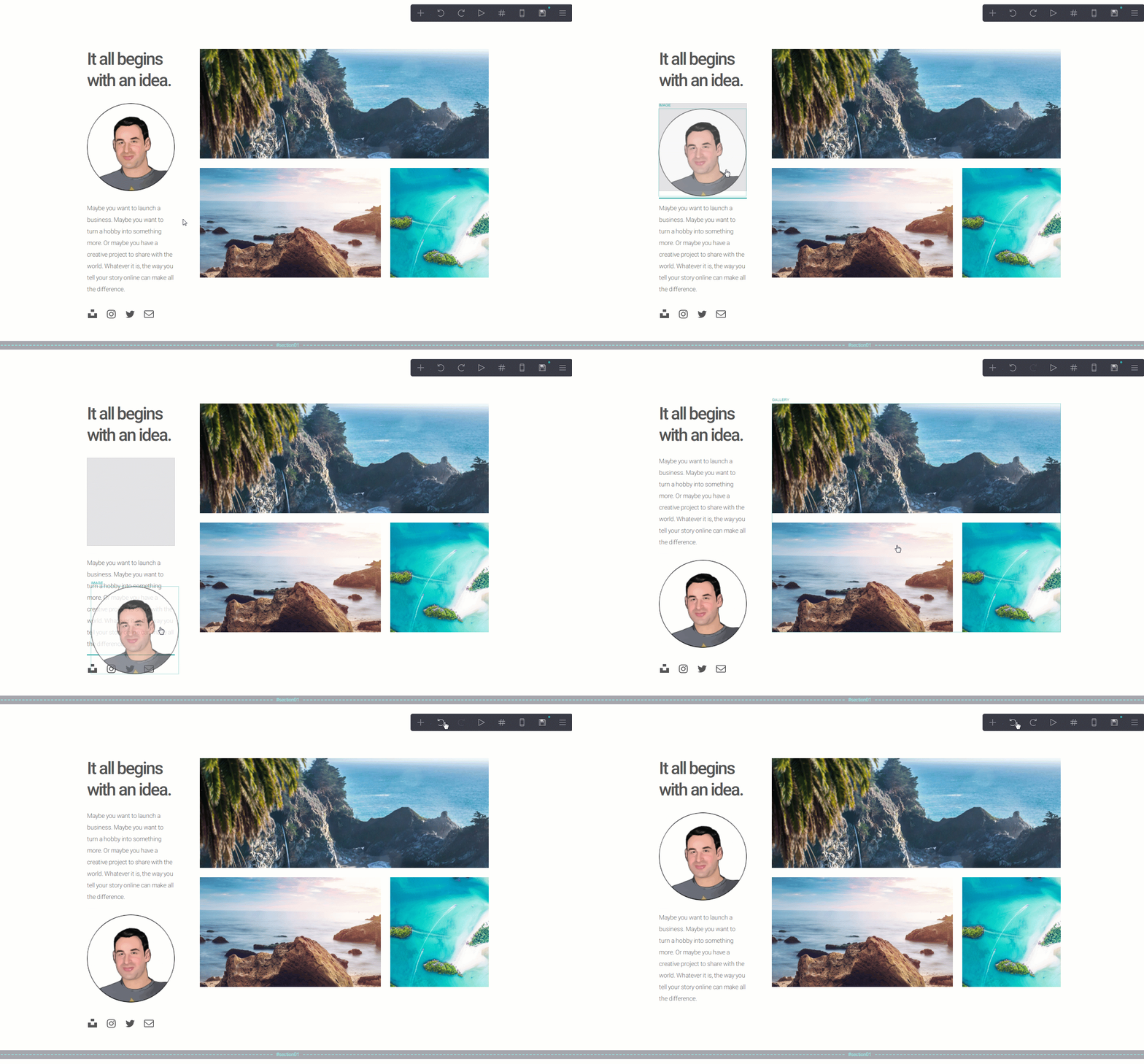
Editing an element is relatively straightforward. After clicking on an item, a menu on the left will appear, showing all of the available options. For example, when it comes to images, you will be able to upload new photos, choose what will happen on a click, and set a few more options. Of course, changing sizes, margins, etc. is available but is quite limited by the editor. Instead of defining custom size, all you get to do is move the slider.
Editing text, however, is not something you will enjoy. Instead of writing directly on the item you click, you will have to add text in the left-hand side menu. And if you want to format your content, instead of clicking a button to make it bold, for example, you will have to use their markdown-like formatting. That’s something that you would expect on an internet forum from 1995, but not in a modern website builder.
Having an option to undo and redo, and always save changes is a big plus.
Domain options
If you decide to start a free site, you will love the fact that you can have a free subdomain. Once you choose to publish your site, Carrd will let you type in your desired subdomain, which can be anything.carrd.co.
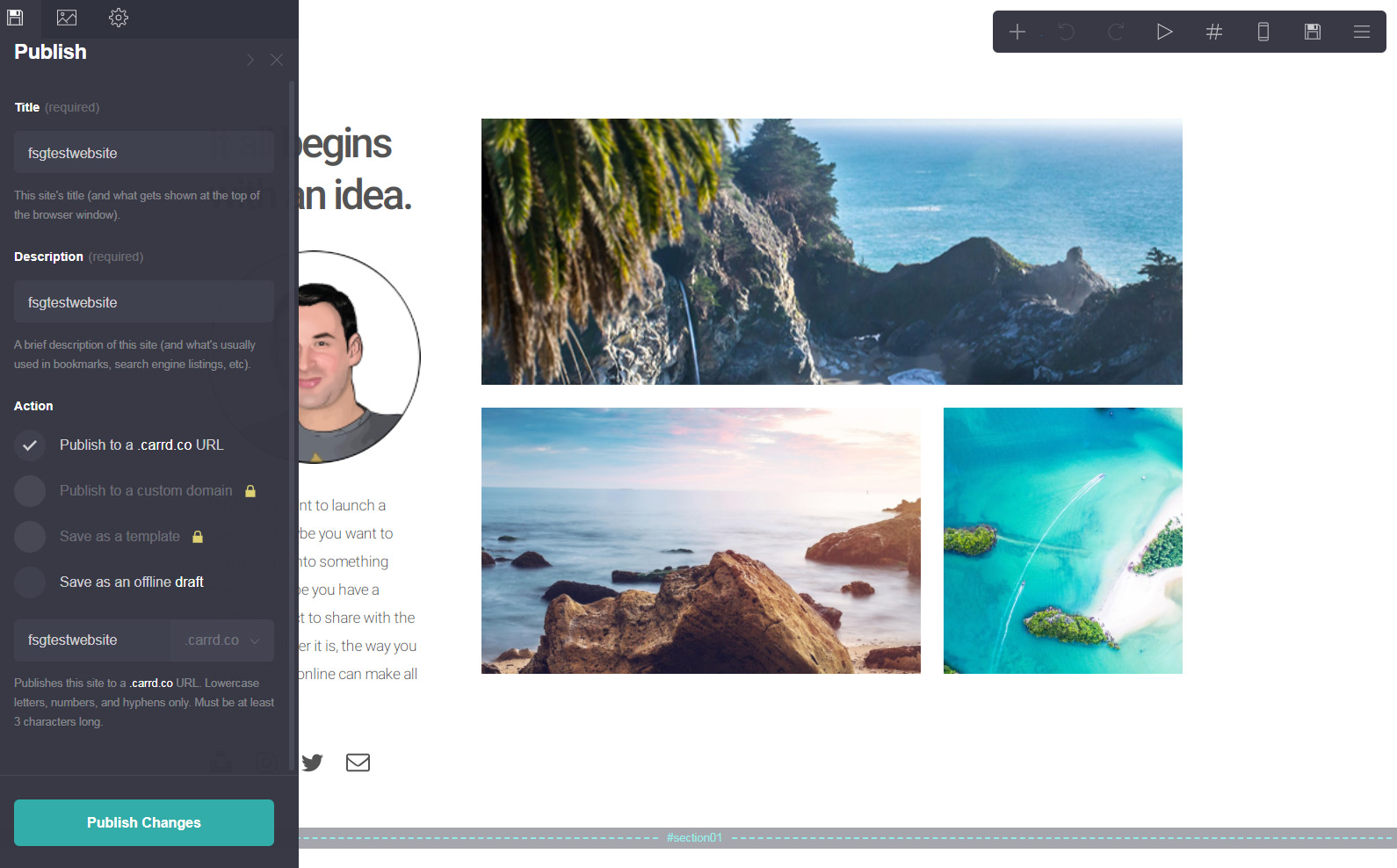
If you decide to stick with this website builder and grab a PRO version, you will also be able to connect a custom domain to it.
Mobile site optimization
It came as a surprise that this extremely simple website builder is able to optimize a mobile site. Not only do you get to preview your website in a mobile view, but you can choose to edit the site precisely for mobile devices! That’s a strong feature that not many competitors have.
Still, for those who are not interested in the details, there’s an auto option that will handle the mobile site without you having to touch a single element.
SEO (Search Engine Optimization)
With such a simple builder, you can’t expect many options related to search engine optimization. Carrd lets you choose the title and description of your site, which is an important part. You can customize meta tags and custom content in the <head> part of your site, which gives you further control of the site. However, in order to add keywords and more advanced SEO commands, you will have to know what you’re doing. As this is a simple page builder designed for people who do not know about these things, this should have been done differently.
However, Carrd does automatically create a sitemap that can be submitted to search engines. This will help to improve indexing and how search engines see your new website.
Blogging functions
Unfortunately, Carrd wasn’t imagined as a website builder that will let you have a blog. So, you can forget about posting altogether. The only workaround is blogging on a 3rd party platform like Medium.com and linking to it.
eCommerce integration
Since I have been depicting Carrd as an extremely simple website builder throughout this entire review, you won’t be surprised to hear that there are no eCommerce options.
That, unfortunately, means that you can’t create an online store or sell any kind of goods via a Carrd website.
Carrd pricing and plans
A simple website builder means simple pricing. Instead of monthly pricing plans, Carrd offers only affordable yearly plans. While there are three paid plans available, each of them can be expanded, so it allows a greater number of sites that you can build.
Free plan
- Free of charge
Browse through Carrd’s expertly-designed templates for absolutely free. Your website address would be under the carrd.co subdomain.
Pro Lite
-
$9/year.
7-day free trial available.
3 sites, premium URLs, no branding, high-quality images, large images and videos, no element limit, Pro templates, video uploads, slideshows, site icons, share images.
Pro Standard
-
$19/year.
7-day free trial available.
10 sites, custom domain URLs, simple forms, widgets, embeds, Google Analytics, meta tags.
Pro Plus
-
$49/year.
7-day free trial available.
25 sites, custom templates, redirects, password protection, updates frequently, advanced settings, download sites.
Customer support
After testing Carrd documentation, I found that it’s quite vague. However, the documentation does have everything you may ever need while working on your site with Carrd. There are only a few pages available in their knowledge base, but that’s only because there are so few features that Carrd actually offers.
The choice of colors was a bit outdated if you ask me – white text on a black background is so 1995. But if you’re ok with that, the documentation files will do just fine.
Their email support is also competent and pleasant. After sending a simple question, the response appeared in my inbox after just a couple of hours.
Carrd pros and cons
PROS
Simple – it’s definitely the simplest free website builder you can find. The learning curve is practically non-existent.
Free – unless you need extra features, you can have up to three free websites tied to one account.
Mobile optimization – although the websites scale automatically, you can set it to a manual mode and control the look of your page on smartphones and tablets.
CONS
Very limiting – you can create only one-page websites. There aren’t as many as elements as you might want, and editing elements is quite restrictive.
You can’t have a blog – everyone knows regular content is a must-have. So it’s really shocking to have a website without the ability to add a blog to it.
No eCommerce options – it is not possible to have even a simple online store with Carrd.
Examples of sites built with Carrd
John Smith (demo) — Created with Carrd

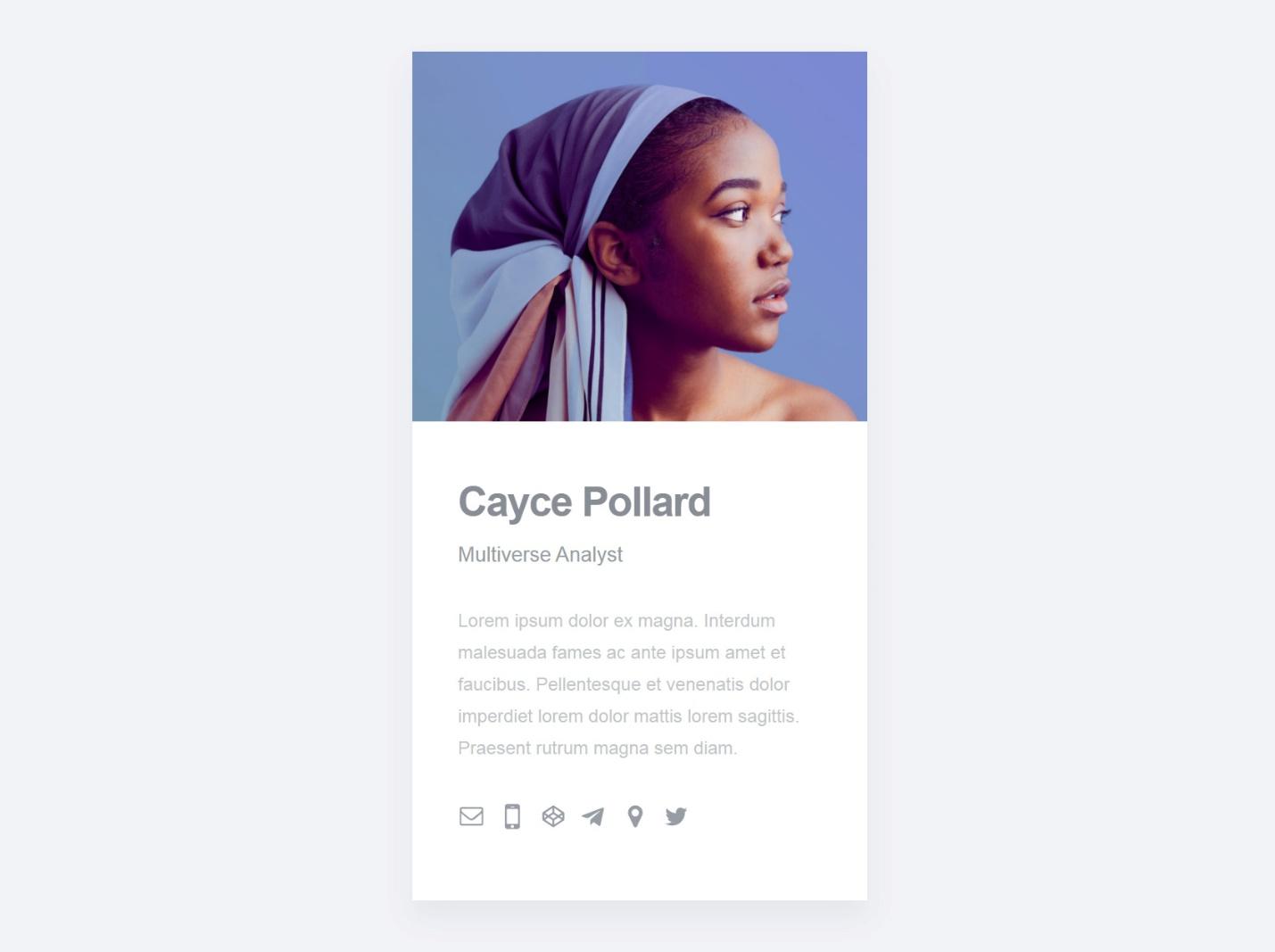
Cayce Pollard (demo) — Created with Carrd
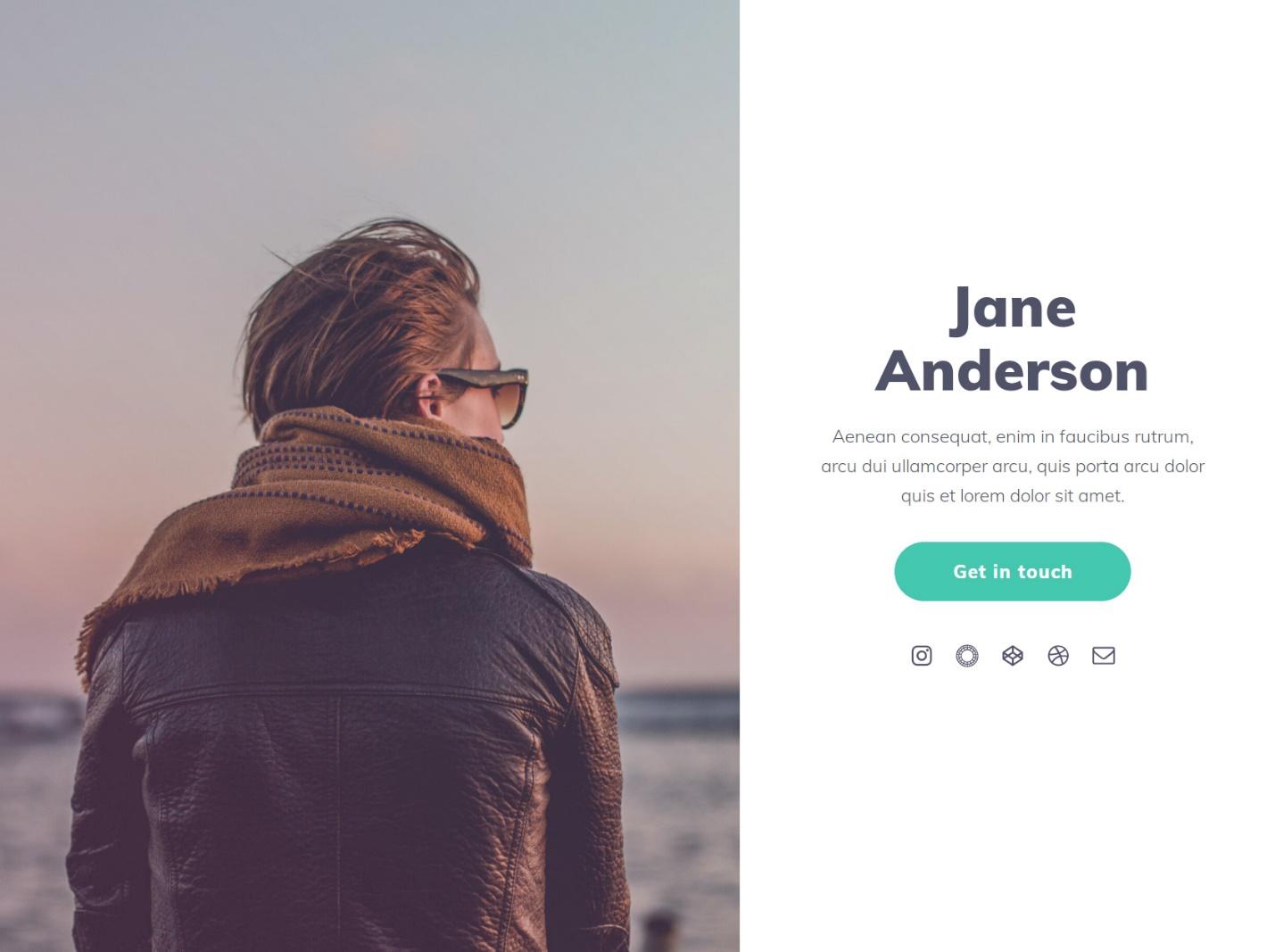
Jane Anderson (demo) — Created with Carrd
FAQs
Unfortunately, Carrd doesn’t offer blogs on their simple websites. Although you can add text to your one-page website, you can’t write regular posts. The only option you can use as an alternative is to link outside to another blogging platform.
Yes, Carrd really is free, and you can have up to three websites without paying a cent. Although you won’t receive all of the options and features in their free version, you can still create a nice looking one-page website on their subdomain, which is entirely free.
With the free version, you can have up to three websites that you can edit and publish at any moment. If you decide to start paying yearly for one of their premium plans, Carrd allows you to have up to 500 sites with their most expensive plan.
Carrd allows you to create simple one-page websites, but it does not have eCommerce options.
Yes, you can create a simple portfolio on Carrd. There is even an entire template category dedicated to portfolios. Choosing this kind of template will allow you to create your one-page portfolio much more quickly, and you can be sure that it will look good. However, if you decide to expand your portfolio, you will probably want to start looking for another website builder that will let you control your site in more detail or maybe even allow you to start blogging and selling your work online.
Conclusion
If you are an individual who wants a simple brochure site, or a one-page portfolio for your business, but do not want to make a fuss about designing a website, Carrd might be something worth considering. However, please note that this free website builder is extremely simple. While this does mean a clean user interface and easy navigation, it also means having only the most basic options.
Since there’s no blog section and you can’t turn your site into an online store of any kind, I would not recommend Carrd to anyone who needs anything more complicated than a single page brochure.